
OpenShot Video Editor
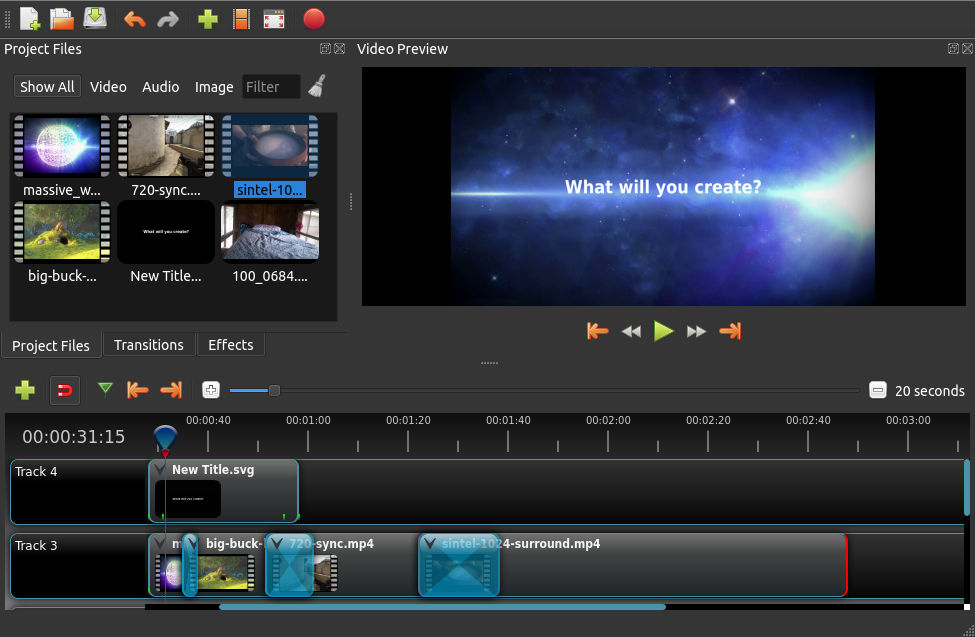
Discover OpenShot Video Editor, a powerful, open-source video editing tool. Read our review of its features, transitions, and multi-platform capabilities.
Picture this: you have just captured hours of stunning footage for your latest creative project, but you are stuck using complex, restrictive software that requires a steep learning curve. This is where OpenShot Video Editor steps in to streamline your production workflow. Designed to balance professional-grade features with an incredibly approachable interface, this award-winning application makes video creation seamless for both beginners and experienced creators alike.
What is OpenShot Video Editor?
Developed by OpenShot Studios, LLC, OpenShot Video Editor is an open-source video editing software tailored for users who need a reliable, feature-rich tool without the corporate price tag. Available across Linux, Mac, Chrome OS, and Windows, it provides a cross-platform environment where you can edit high-definition video, mix audio, and apply complex visual effects. Built on the robust FFmpeg engine, it supports almost any video, audio, or image format you throw at it.
Key Features of OpenShot Video Editor
- Advanced Timeline & Layers: Enjoy unlimited tracks and layers, allowing you to build complex projects with drag-and-drop simplicity, snapping, panning, and zooming.
- Curve-Based Keyframe Animations: Take full control of your motion with linear, Bézier, and constant interpolation for smooth transitions and movement.
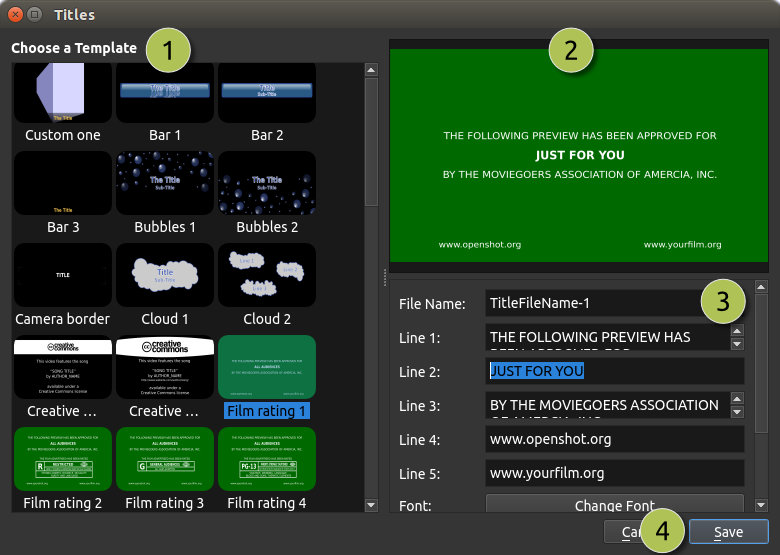
- Integrated 3D Titles: Create stunning animated titles and cinematic intro sequences thanks to native Blender 3D integration.
- AI-Powered Tools: Take advantage of modern editing tools including motion tracking, object detection, and video stabilization effects.
- Hardware Acceleration: Speed up your rendering processes with hardware-accelerated encoding and decoding supporting NVIDIA, AMD, Intel, and more.
Who is this Video Editor For?
Whether you are a Linux enthusiast looking for a native, powerful editing suite, a teacher putting together educational content, or a content creator designing videos for social media, this software adapts to your skill level. The interface can be toggled between simple and advanced views, ensuring you are never overwhelmed by tools you do not yet need, while still offering the depth required for intricate timeline editing, color correction, and audio waveform analysis.
Our Editorial Verdict
OpenShot Video Editor stands out because it democratizes video production. It successfully bridges the gap between basic trimming tools and overly complicated commercial software. By offering advanced capabilities like vector graphics support, custom transitions, and time-mapping speed adjustments in a completely free package, it remains one of the most compelling options in the creative software ecosystem.
Ready to start your next creative project? Head over to the official Flathub store page to learn more and install OpenShot Video Editor on your system today.